
Enter and change billing details
Save your billing address, contact and invoice language.
On this page
Enter who receives your Space's invoices and in which language. A Space is a shared workspace in the app.
Note
You need Owner or Administrator in the Space.
Enter billing details
-
Open the form
On Billing, open Billing details and choose Change billing details, or Add billing details for the first entry.
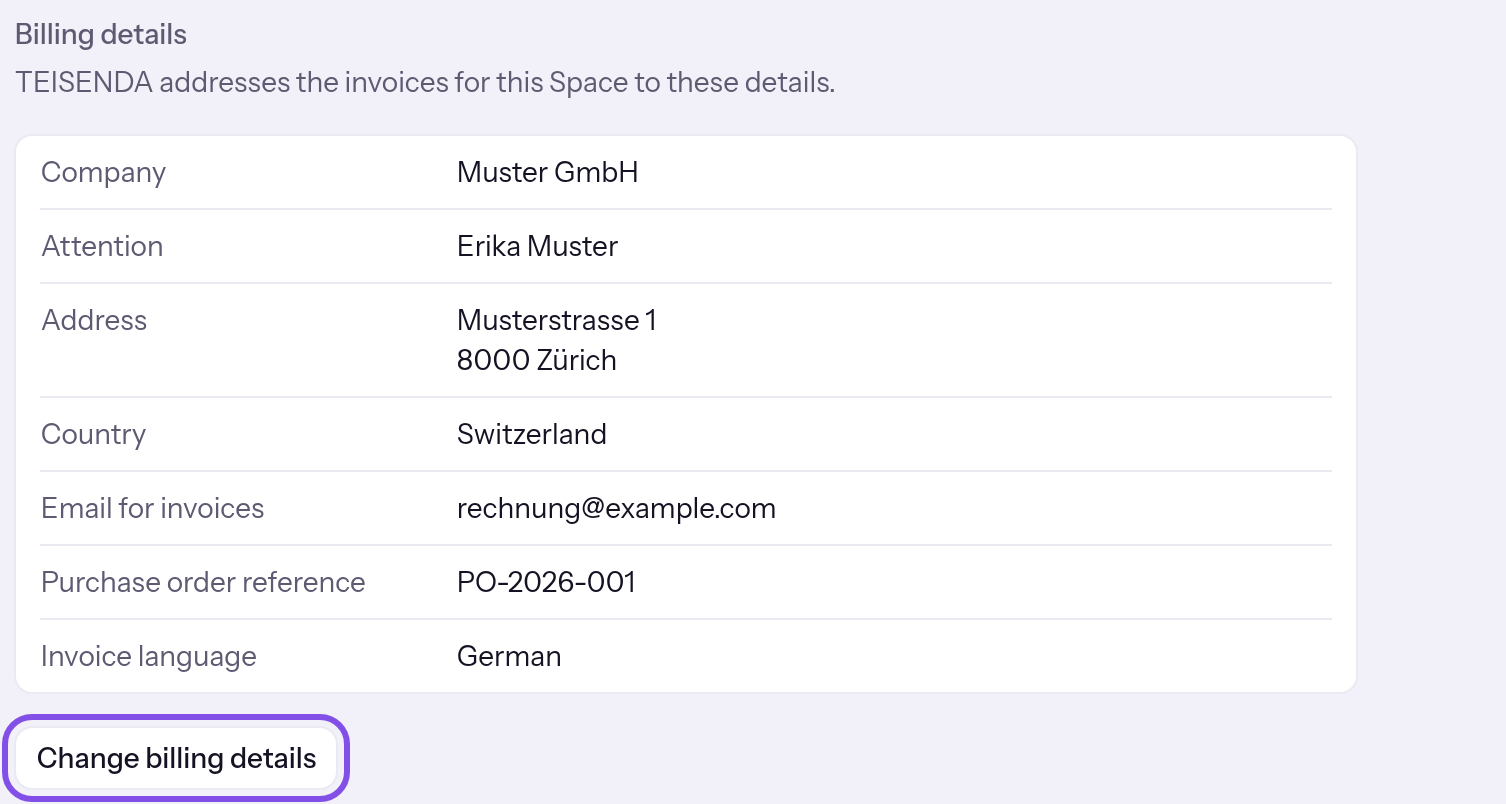
The button that opens the form. -
Fill in the fields
Fill in Company, Street and number, Postal code, City, Country, Email for invoices and Invoice language. Attention, VAT ID and Purchase order reference are optional.
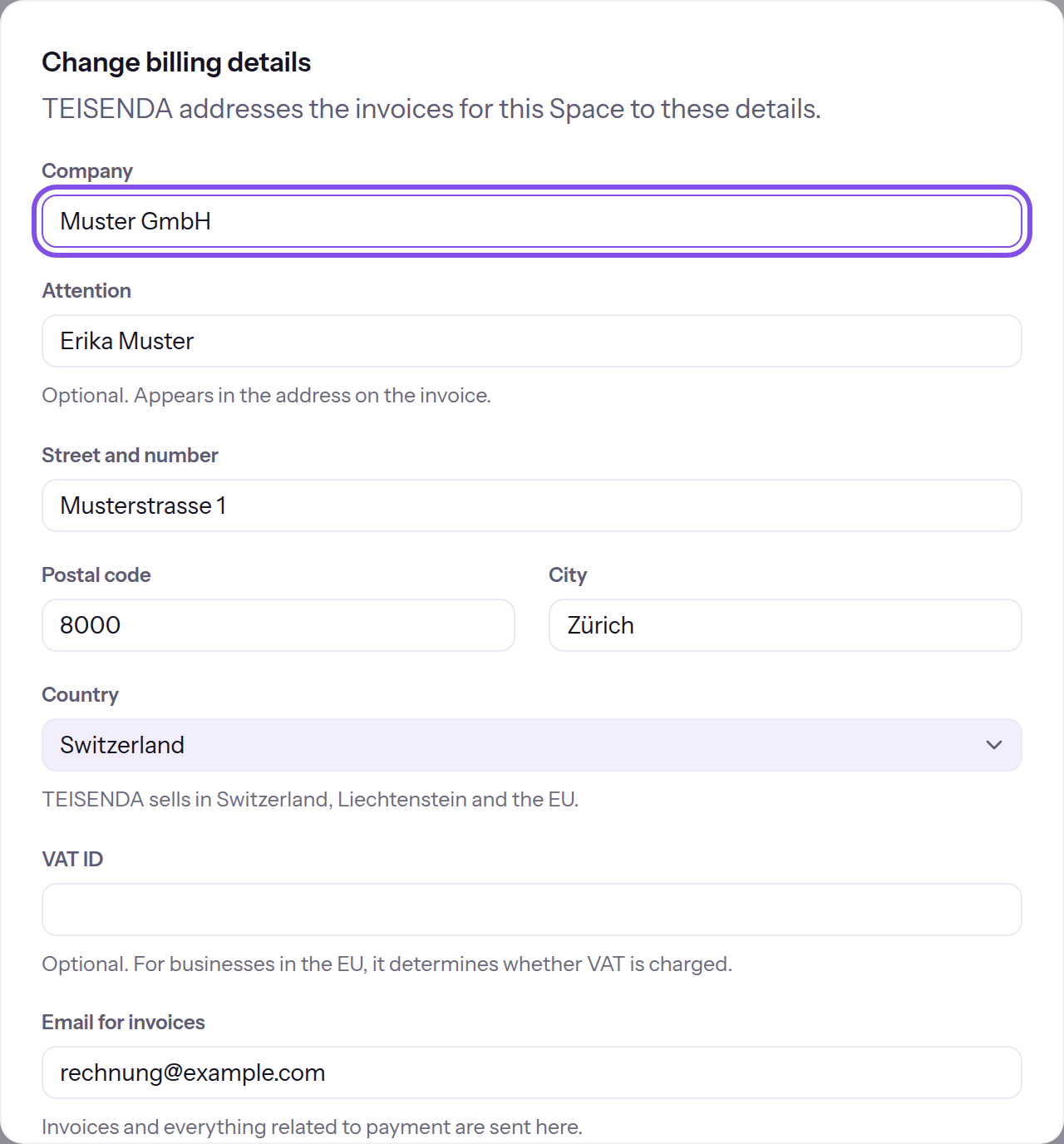
The billing details form. -
Save billing details
Click Save.
The dialog closes and the rows show the new details. A message shows Billing details saved.
Good to know
- The country and VAT ID determine a purchase's currency and tax.
- TEISENDA sends invoices and everything relating to payment to Email for invoices.
- TEISENDA writes invoices and subscription emails in Invoice language. Until details are saved, your language is preselected.
- On saving, TEISENDA checks only the VAT ID's format. If a payment provider is configured here, the register then checks the number; this takes minutes.
- Closing the dialog without saving discards your entries.
If something goes wrong
This information is missing.
A required field is empty: Company, Street and number, Postal code, City, Country, Email for invoices or Invoice language. Fill it in.
“At most … characters.”
A value exceeds its field's maximum length; the message gives the number. Shorten it.
That is not a valid email address.
Email for invoices is not formatted as an address: text, an @, text containing a dot, without spaces. Correct the address.
This VAT ID belongs to a different country than the one selected.
The VAT ID starts with a code for a country other than the selected one. Correct the country or number.
This does not look like a VAT ID from this country.
The VAT ID is not formatted as a number for the chosen country. Correct it.
You don't have permission to do this.
You are not Owner or Administrator, or your session expired. Sign in again as Owner or Administrator.
The billing details could not be saved. Please try again.
Saving failed for another reason. Try again.
Only Owners and Administrators can see and change the billing details.
You have User or Read-only and the button is disabled. A member with Owner or Administrator must change billing details.
More questions about billing details
What format does the VAT ID need?
TEISENDA stores it in upper case without spaces, dots or hyphens. In an EU country, it is the country code, for Greece EL, followed by 2 to 12 characters. In Switzerland, it is CHE and nine digits, optionally followed by MWST, TVA or IVA. In Liechtenstein, it is 5 to 15 letters or digits.
What does the status below the VAT ID mean?
For an EU VAT ID, the row in Billing details shows verification status: Not checked yet, Being checked, “Verified on …” or “Not verified (checked on …)”. Swiss and Liechtenstein numbers appear without a status.
Which email arrives if the register does not verify the VAT ID?
If the register's latest answer for the VAT ID in billing details is “not verified”, TEISENDA sends “Your VAT ID … was not verified”. It goes to Email for invoices, in the stored invoice language. One email is sent per rejection, and only while the answer is no more than 7 days old.