
Reset your password
If you have forgotten your password, request a link and use it to set a new one.
On this page
Note
You know your account's email address and can read its emails.
If you still know your password, change it while signed in in your personal settings.
Request the link
-
Open the forgotten-password page
On the sign-in page, click Forgot password? below the password field
-
Send the request
Enter your account's email address in Email and click Send link. The page shows If an account with this address exists, we've sent you an email.
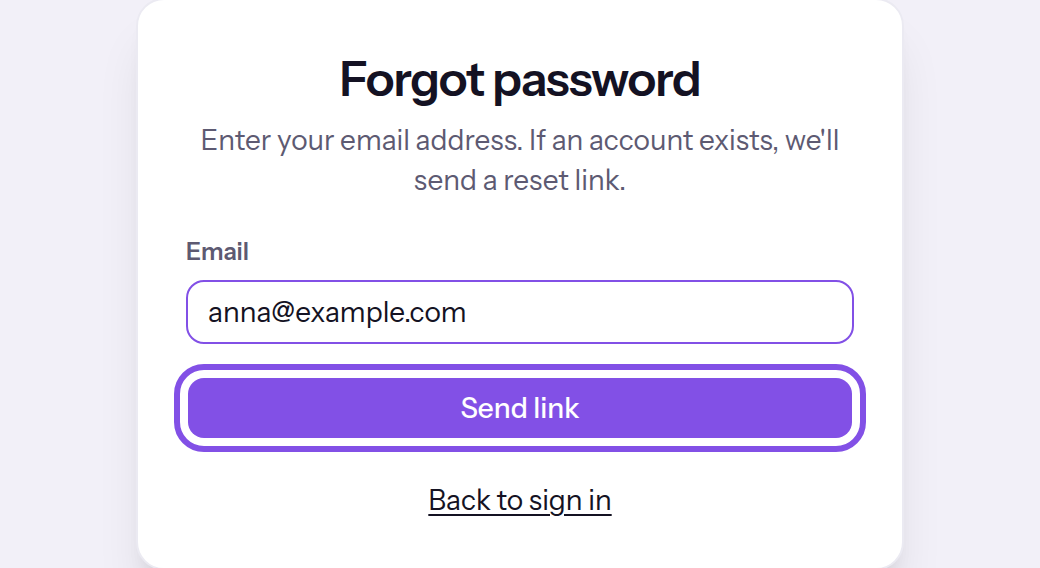
The forgotten-password page with the button that requests the link.
If your account has a password, you receive Reset your password with the link. The page always confirms the request with the same message.
Good to know
- The link is valid for 24 hours and works once.
- Your password and sessions stay unchanged until you use a link.
- A second request sends a second link; the first remains valid.
If something goes wrong
Email is required. or The address needs an @ — for example name@company.com
The field is empty or the value is not an email address. Enter the full address.
Too many attempts. Please try again in … minutes.
There have been too many requests in the current hour: 4 for the same address or 15 from the same IP address. Wait for the stated number of minutes; a link already sent remains valid for its 24 hours.
More questions about requesting a link
Which email do I get if the address has no password or no account?
- If the address has an account without a password that signs in through Google or Microsoft, you receive an email with the subject Your account has no password. It names the provider and contains no link.
- If it has no account, TEISENDA sends nothing.
Set the new password
Note
You have the email containing the reset link. It is no more than 24 hours old and has not been used.
-
Open the link in the email
Set a new password opens. TEISENDA checks the link only when you submit the new password.
-
Enter and set the new password
Enter the new password under New password and Confirm password; follow At least 8 characters.. Click Set password.
Sign in with the new password: all previous sessions have ended. Two-factor sign-in remains enabled; Your password was reset confirms the reset.
If something goes wrong
The passwords don't match.
The two fields do not contain the same text. Enter the same password in both.
The password must be at least 8 characters.
The password has fewer than 8 or more than 200 characters. Choose a password of 8 to 200 characters.
This link is invalid.
The link is incomplete or unknown. Use the link from the email without changing it, or request a new one.
This link has expired. Please request a new one.
The link is older than 24 hours. Request a new link.
This link has already been used.
The link has already set a password once. Sign in with the password set then, or request a new link.
Too many attempts. Please try again in … minutes.
There have been more than 15 link requests and password-setting attempts from the same IP address in the current hour; both count together. Wait for the stated number of minutes, then submit the form again.