
Leave a Space
A Space is a shared workspace in the app. Leave it through your list of Spaces in the settings.
On this page
Note
You are not the only member with the Owner role.
Warning
After leaving, you lose access to the Space. You need a new invitation to return.
Leave the Space
-
Open your Spaces page
In settings, open My Spaces under Personal.
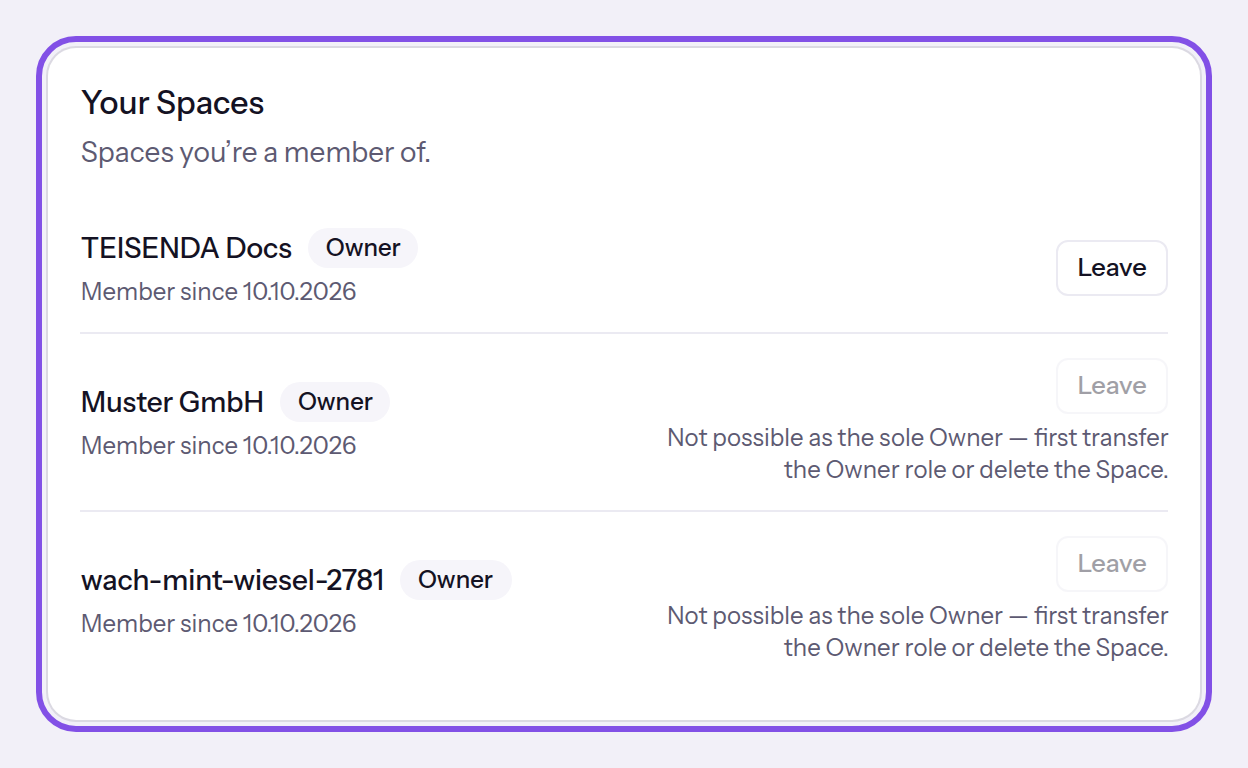
Here you can leave the first Space; in the other two you are the only Owner. -
Click Leave
Click Leave in the row of the Space you want to leave. Check its name in the Leave Space? dialog.
-
Confirm that you want to leave
Click Leave.
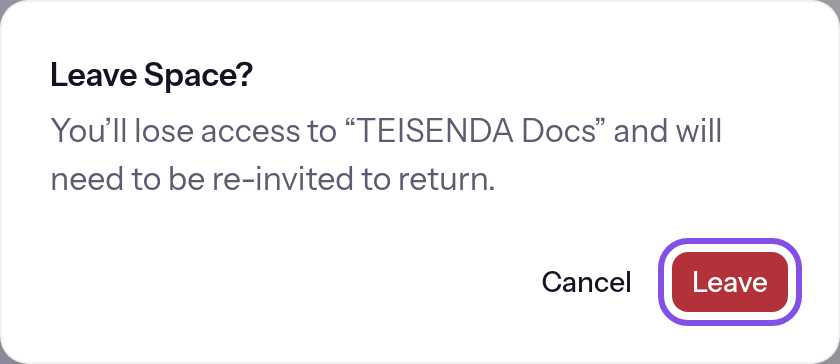
Check the Space name before confirming that you want to leave.
The Space no longer appears in your list or the Space switcher; you no longer have access to it.
Good to know
- Your account and anything you created in the Space remain.
If something goes wrong
Not possible as the sole Owner — first transfer the Owner role or delete the Space.
You are the only Owner. Give the role to another member first or delete the Space; the same issue causes As the last Owner you can’t leave this Space. First transfer the Owner role to another member or delete the Space..
This isn’t possible.
You do not belong to this Space. Reload the page.
You’re no longer a member of this Space.
Your membership had already ended when the request arrived. Reload the page.
Something went wrong. Please try again.
The request failed for another reason. Try again.